October 1, 2026 · Moeed
Gemini AI vs ChatGPT: Differences, Pricing & Best Uses in 2026
A student opens two browser tabs, pastes the same essay prompt into each, and waits. One tab runs Gemini from…
 Moeed
Read more
Moeed
Read more

Moeed
Content Writer
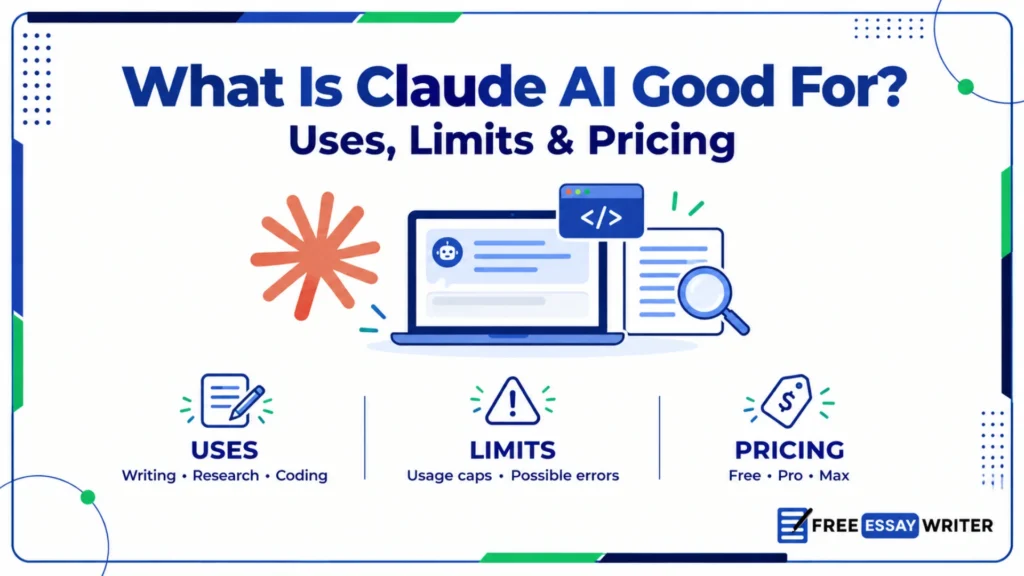
A student, a freelance developer, and a shop owner all open the same chat app on Monday. Each person asks Claude for help, and each person needs a different kind of answer. The question behind all three chats is simple, and the honest answer has several parts. This guide answers what is Claude AI good for across writing, coding, research, analysis, learning, and office work. It also covers weak spots, plans, prices, and a simple test for choosing between assistants. It reflects the public lineup in October 2026, and model names change every few months.
Claude AI is good for writing, editing, coding, long-document analysis, and careful step-by-step reasoning. Anthropic built Claude as a general assistant, so it also handles research, tutoring, brainstorming, and office tasks. It still invents facts at times, so every claim needs a check before publishing.
The table below links common jobs to Claude’s strengths and the main caution for each.
| Job | Fit | Main caution |
|---|---|---|
| Essay and article drafting | Strong | Needs human voice edits |
| Editing and proofreading | Strong | Check meaning changes |
| Coding and debugging | Strong | Test every change |
| Long document summaries | Strong | Verify key quotes |
| Data analysis | Good | Recheck calculations |
| Studying and tutoring | Good | Confirm facts independently |
| Image generation | Limited | Use dedicated image tools |
| Real-time facts | Depends | Needs web search turned on |
Claude fits language-heavy work best, and its main risk is confident but wrong details.
In simple words, Claude AI is a careful writing and coding assistant that still needs a human editor.
Claude AI is Anthropic’s family of large language models and the assistant app that carries the same name. Anthropic is an AI safety company, and it trains Claude to be helpful, honest, and careful. People use Claude through a web app, desktop apps, mobile apps, and a developer API.
Anthropic sells Claude in named tiers that trade speed and price against reasoning depth. Haiku is the fastest tier, Sonnet balances speed and skill, and Opus handles harder reasoning. Above Opus sits the Mythos tier, which includes Claude Fable 5.1 for public use.
As of October 2026, the public lineup lists Fable 5.1, Opus 5.5, Sonnet 5.5, and Haiku 4.5. Anthropic adds and retires models often, so check the official list before choosing one. Fable adds extra safety limits for biology, cybersecurity, and AI research topics.
Match the tier to the job, because higher tiers cost more usage and often respond more slowly.
| Tier | Best for | Trade-off |
|---|---|---|
| Haiku | Quick edits, simple questions | Less depth on hard problems |
| Sonnet | Daily writing and coding | Balanced speed and skill |
| Opus | Hard reasoning, long projects | Higher usage cost |
| Fable | Top-tier public model | Extra safety limits |
Start with the balanced tier, and move up only when answers fall short.
The core Claude app runs on web, desktop, and mobile, and it handles chat, files, and longer tasks. Claude Code serves developers who work from the terminal, the web, or a desktop app. In Chrome, it acts inside the browser, and Claude for M365 works inside Microsoft apps.
Claude Tag brings the assistant into Slack, and Claude Science and Claude Security serve research and security teams. Readers who also compare rivals can start with the guide on Gemini AI vs GPT.
Product names cause confusion because Anthropic uses one brand across chat, coding, and browser tools.
| Name | Meaning |
|---|---|
| Anthropic | The company that builds Claude |
| Claude | The model family and chat app |
| Haiku, Sonnet, Opus | Speed and reasoning tiers |
| Fable, Mythos | Highest tier above Opus |
| Claude Code | Coding agent for engineers |
| Claude in Chrome | Browser extension that acts on web pages |
Pick the product first, then pick the model tier that fits the task.
Many users name writing as Claude’s best skill, and the model handles long drafts well. It drafts essays, articles, emails, reports, and scripts in a clear, natural tone. It also edits existing text for clarity, structure, grammar, and length without changing the meaning. Pasting a sample of the writer’s own work helps Claude match voice and rhythm.
Long-form pieces such as blog posts, reports, and essays benefit from Claude’s steady structure. Short marketing copy, product descriptions, and subject lines also work well after two or three revisions. Creative fiction and dialogue work too, though writers should expect to rewrite generic passages.
AI drafts often sound smooth but vague, so a human pass adds specifics and personality.
Every AI draft needs a human read-through before it carries a name or a grade.
Many developers rank coding among Claude’s strongest uses, and Anthropic ships Claude Code for that audience. Claude writes functions, explains unfamiliar code, finds bugs, and drafts tests in many languages. Claude Code can read a repository, edit files, and run commands on the developer’s machine.
Opus-tier models suit complex refactoring and debugging, while Sonnet suits fast daily coding. Test every generated change, because plausible code can still hide logic errors. Non-developers use Claude to write spreadsheet formulas, small scripts, and simple web pages.
A context window sets how much text Claude can read at once. Claude reads long documents well, and Opus 5.5 lists a 1 million token window in the API. App limits depend on the plan, so check the current help page before uploading huge files.
Typical jobs include summarizing reports, comparing contracts, extracting key dates, and building literature overviews. Web search, when enabled, adds current sources, though readers must still open each link.
Check every quote against the original page, because summaries can drop small but important details. Ask Claude to mark claims it cannot support, which exposes weak spots quickly.
Do not cite a source before opening the page and reading the passage.
Projects group files, instructions, and chats around one goal, such as a thesis or a product launch. Users can store style guides, source files, and standing instructions in one place. Claude then applies that context to every new chat in the project.
This setup saves repeated explanations and keeps tone and facts consistent across weeks of work. Long chats can still lose details, so key facts deserve a short recap now and then.
Claude can carry preferences across chats when the user turns memory features on. Memory helps with stable details, such as writing style, project names, and preferred formats. Users control memory through settings, and incognito chats run without memory entirely.
Sensitive details still deserve caution, so avoid sharing anything the user would regret storing.
Claude reads CSV files, explains trends, and writes formulas or Python code for deeper analysis. It works best when the task is clear: clean this column, group these rows, chart that trend.
Language models can miscalculate, so important figures deserve a second check in a spreadsheet or calculator. Code-based analysis reduces that risk when a code tool is available, because scripts show every step.
Claude breaks problems into steps, which helps with logic puzzles, planning, and multi-part questions. Higher tiers such as Opus spend more effort on hard problems and usually score higher. Benchmark results change with each release, so recent independent tests beat old charts.
Even strong reasoning fails on obscure facts, so users should request step-by-step working. Checking each step reveals errors that a final answer alone would hide.
Claude explains hard ideas at different reading levels and answers follow-up questions patiently. Students use it to build study guides, quiz themselves, and practice explaining topics aloud. A strong method asks Claude to question the student instead of delivering finished answers.
This keeps learning active, and it reduces the temptation to submit unedited AI text. Schools set their own rules on AI help, so students should read each syllabus carefully.
Projects keep lecture notes, readings, and rubrics together, so each chat starts with full context. File uploads let students ask questions about a PDF chapter without retyping its content. Free plans cover basic chat, so students can test the workflow before paying.
Study sessions that end with a quiz tend to build stronger recall than passive rereading.
Claude translates between many languages and explains the grammar behind each choice. Learners use it for conversation practice, vocabulary drills, and gentle correction of written mistakes. Quality varies by language, and rare languages usually produce weaker, less reliable output.
Native speakers should review any translation that carries legal, medical, or public weight.
Non-native writers use Claude to polish grammar, adjust tone, and explain unfamiliar phrases. The tool can explain each correction, which turns every edit into a short lesson. Writers should keep their own ideas and examples, so the final text still sounds personal.
Pasting the original sentence beside the corrected one helps writers learn from each change.
Teams use Claude to draft emails, summarize meetings, write reports, and prepare presentations. Claude for M365 brings the assistant into Microsoft apps, while Claude Tag serves Slack teams. Support teams use it to draft replies, and analysts use it to summarize long customer feedback.
Legal, finance, and health work needs expert review, because errors there carry real costs.
Summaries rank among the most practical uses, because most workers face more text than time. Claude condenses reports, articles, transcripts, and email threads into short, structured overviews. Asking for a fixed format, such as five bullets plus open questions, keeps summaries consistent.
Summaries skip details by design, so critical clauses and numbers deserve a direct reread.
Claude drafts report structures, slide outlines, speaker notes, and executive summaries from rough notes. Users then move the text into slides, documents, or spreadsheets and polish the layout by hand. Charts, tables, and numbers need extra care, because a wrong figure can undermine an entire deck.
A short brief with audience, goal, and deadline gives Claude enough context for a useful first version.
Claude drafts polite, clear replies to customer questions when the user supplies the policy text. Teams save time by keeping approved phrases, refund rules, and tone guides in a project. Humans should review any reply about refunds, safety, or legal rights before sending.
Tone matters in support, so a short sample of a good past reply helps Claude match it.
Agent features let Claude carry out multi-step work, such as research, drafting, and file creation. Claude in Chrome can navigate pages and fill forms in the user’s own browser. Users should review each action, since agents can misread a page or click the wrong control.
Sensitive steps such as payments, deletions, and messages deserve explicit human approval.
Claude generates titles, outlines, story ideas, slogans, and alternative angles on request. Asking for twenty options first, then narrowing, produces better results than asking for one. Writers also use Claude as a sparring partner that challenges weak arguments and plot holes.
Claude can state false facts, dates, and quotes with confidence, like every major chatbot. Its built-in knowledge stops at a training cutoff, so recent events need web search. Free plans carry daily usage limits, and heavy users may hit caps during long sessions.
Claude centers on text, code, and documents, so dedicated tools often win for photo-style images.
Avoid pasting passwords, account numbers, or confidential client files into any chatbot. Avoid relying on Claude alone for medical, legal, or financial decisions with real consequences. Claude is not a licensed professional, so experts should confirm any high-stakes advice.
Claude, ChatGPT, and Gemini now sit close together on many public benchmarks. Readers who want the full rivalry can open the comparison of Gemini AI vs GPT on this site. Here, the focus stays on where Claude fits among those two rivals.
| Area | Claude | ChatGPT | Gemini |
|---|---|---|---|
| Long-form writing | Steady tone | Flexible styles | Strong in Docs |
| Coding tools | Claude Code | Codex | Gemini CLI, Jules |
| Office links | Microsoft, Slack | Connectors | Google Workspace |
| Image creation | Limited in chat | Built in | Built in |
| Standard price | $20 Pro | $20 Plus | $19.99 AI Pro |
No assistant leads every row, so the best choice follows the daily workflow.
Choose Claude when long documents, careful writing, and coding agents dominate the workload, ChatGPT when voice, image tools, and a large app ecosystem matter more, and Gemini when Google Workspace, giant files, or Search integration drive daily work.
Free plans make a two-assistant workflow possible for students and freelancers on tight budgets.
Claude offers a free plan, a 20 dollar Pro plan, and higher Max tiers for heavy users.
| Plan | Price | Best for |
|---|---|---|
| Free | $0 | Light daily use |
| Pro | $20 monthly, $17 annual | Regular writing and coding |
| Max 5x | $100 monthly | Heavy daily use |
| Max 20x | $200 monthly | Near-constant use |
| Team | $25 or $125 per seat | Shared workspaces |
| Enterprise | Custom | Large organizations |
Pro suits most individuals, and Max suits people who hit Pro limits often.
Max plans offer five or twenty times Pro usage, according to Anthropic’s help center. Pro adds Claude Code access and conversational search, according to a September 2026 pricing summary. Prices and limits change, so confirm every figure on Anthropic’s official pricing page.
One comparison lists Opus 5.5 API pricing at $4 input and $20 output per million tokens. Developers pay per-token rates through the API instead of a monthly plan.
Consider a student writing a 1,500-word essay on renewable energy with six source articles. Claude summarizes each article, flags disagreements, and proposes an outline with a clear thesis. The student writes the draft, then asks Claude to critique structure and evidence. Final edits, citation checks, and the personal voice stay with the student.
Freelance writers use Claude for outlines, headlines, and first drafts under tight deadlines. Developers use it for code review, documentation, and test generation inside daily workflows. Researchers use it to scan papers, organize notes, and draft literature summaries.
Small business owners use it for product descriptions, customer replies, and policy drafts.
| User | Best Claude use | Caution |
|---|---|---|
| Student | Study guides, outline feedback | Disclose AI help |
| Writer | Drafting, editing | Add personal voice |
| Developer | Coding, review | Test all code |
| Analyst | Document summaries | Recheck numbers |
| Business owner | Emails, product copy | Check facts and tone |
Each group gains speed, but each group still owns the final result.
Strong prompts name the task, the audience, the format, the length, and the tone. Anthropic’s own guidance recommends clear, detailed instructions and concrete examples of the desired output. Pasting one good sample paragraph teaches Claude the target voice faster than adjectives.
Asking for a short plan before the full draft catches wrong directions early. State the audience, the format, and one example in every important prompt. Follow-up messages that name one change at a time work better than long rewrites.
A reusable prompt template for a short explainer looks like the example below:
Write a 400-word explainer on solar panels for first-year students. Use a friendly tone, two headings, and one real-world example.Anthropic publishes privacy documentation, and each plan type can carry different data terms. Read the current privacy settings before uploading private documents, client files, or unpublished work.
Do not upload confidential files to any chatbot before reviewing its data controls first.
Disclose AI assistance whenever a syllabus, publisher, or editor asks for that information. AI detectors produce false positives, so original writers should keep drafts and notes as proof.
Claude generates fluent answers from training data, and that data has a cutoff date. Turn on web search or check a live source for recent facts and prices.
A first answer shows direction, not quality, so the second and third prompts matter most. Ask for exact edits, such as shorter sentences, stronger evidence, or a different tone.
A polished paragraph can hide a wrong date, a false quote, or an invented source. Verify every name, number, and citation before submitting or publishing the final draft.
A prompt like “write about climate” gives Claude nothing to aim at. Add the audience, length, format, and purpose, and the draft improves immediately.
A fast tier suits quick edits, while a higher tier suits hard reasoning and long projects. Match the tier to the task, and watch usage limits on paid plans.
Passwords, client records, and unpublished manuscripts do not belong in a casual chat. Remove names and identifying details before sending any private text to an assistant.
Choose one writing task, one analysis task, and one coding or file task from current work.
Write each prompt once, then run it in Claude and in one rival assistant. These three sample prompts cover editing, summarizing, and coding in a repeatable way:
Prompt 1: Rewrite the pasted paragraph in a clearer, friendlier tone without changing its meaning.
Prompt 2: Summarize the attached report in 150 words and list three open questions.
Prompt 3: Write a Python function that removes duplicate rows from a CSV file, plus two tests.Rate accuracy, clarity, tone, and editing effort on a five-point scale for each answer. Record the scores in a simple table so the totals stay visible.
Verify names, dates, numbers, and sources in every output using independent websites. Run the generated code and test the results before trusting any answer.
Keep the assistant with the higher total, and repeat the test after major releases. Companies release new models every few months, so old rankings expire quickly.
Model updates arrive often, so a quarterly re-test keeps the tool choice current. Save the original three prompts and their scores in a document or spreadsheet. Rerun the same prompts after each major release and compare the new scores.
Switch plans or tools only when the data shows a clear gain.
Run through this checklist before relying on Claude for school, work, or published writing:
Open the free plan today and run the three sample prompts above. Note which tasks Claude finished well and which tasks needed heavy editing. Upgrade to Pro only when daily free limits block work that matters.
Claude AI is good for writing, editing, coding, document analysis, and careful reasoning tasks. It also helps with studying, brainstorming, data cleanup, and everyday office work. Every answer still needs a human check for facts, numbers, and tone.
Yes, Claude offers a free plan with chat, Projects, and daily usage limits. Pro costs 20 dollars monthly, or 17 dollars monthly with annual payment. Max plans cost 100 or 200 dollars monthly and add five or twenty times Pro usage.
Yes, coding ranks among the strongest answers to what is Claude AI good for. Claude writes, explains, and debugs code, and Claude Code works directly inside a repository. Developers should still run tests on every generated change before shipping it.
Claude AI drafts, outlines, and edits essays well, so students use it often for support. Schools set their own rules, so students must read each syllabus before using any AI help. Active uses such as quizzes and feedback keep the student’s own thinking at the center.
Claude can search the web when the user turns that feature on, which adds current sources. Claude in Chrome can also act on live pages inside the user’s browser. Every cited link still needs a manual check before anyone relies on the claim.
Neither wins every category, and Claude AI leads or trails depending on the task. Claude often earns praise for steady writing and coding, while ChatGPT offers more built-in media tools. Test both assistants with the same prompts before paying for either plan.
Claude AI is weaker at guaranteed facts, real-time data, and photo-style image creation. It also should not replace licensed experts for medical, legal, or financial decisions. Free plans may also hit daily usage caps during long working sessions.
Beginners should start with the default model in the app and change tiers later. Higher tiers like Opus suit harder reasoning, while Haiku suits quick, simple tasks. Anthropic changes its lineup often, so check the model list before choosing.
Safety depends on the plan, the privacy settings, and the sensitivity of the document. Review Anthropic’s current data controls before uploading contracts, client files, or personal records. When in doubt, remove names and identifying details before sending any text to Claude.
Yes, the answer will likely change, because Anthropic and its rivals release models every few months. New tiers, tools, and plans can add strengths or remove old limits quickly. Recheck models, prices, and usage limits on official pages before every purchase decision.
The question of what is Claude AI good for has a practical answer: language-heavy work with human oversight. Claude shines in writing, editing, coding, and long documents, and it improves with clear prompts. Its weak spots, including false facts and limited image tools, call for steady human checks. Run the thirty-minute test from this guide, trust the results, and revisit them after major releases.
Explore more AI writing guides on Free Essay Writer.

Written by
Part of the Free Essay Writer team, sharing practical advice on writing better essays, faster, and for free.
More from this authorOctober 1, 2026 · Moeed
A student opens two browser tabs, pastes the same essay prompt into each, and waits. One tab runs Gemini from…
Moeed
Read more
September 30, 2026 · Moeed
A designer asks an AI tool for a poster and receives garbled letters instead of a headline. That failure defined…
Moeed
Read more
September 30, 2026 · Moeed
A student uploads a finished essay to a class portal and waits for the instructor’s feedback. Days later, a report…
Moeed
Read more
Generate a full essay free, then polish it with the built-in toolkit.
Start writing free